Varonis® DataPrivilege®
Data entitlement management belongs with data owners, after all they are the ones accountable to the enterprise for the data. However, assuming IT can identify data owners, several challenges arise:
• Entitlement Reviews: How can data owners efficiently and effectively review access to their data?
• Authorization Workflow: How can we automate owner involvement in the authorization process?
• Accountability: How can authorization and entitlement review processes be tracked and reported?
• Policy enforcement: How can we make sure data owners and end users adhere to organizational policies?
Varonis© DataPrivilege© addresses these challenges with a web interface that brings IT, data owners, and users together in a self-service portal for automating access authorization, entitlement reviews, policy enforcement (e.g. ethical walls), and compliance reporting.
What Platforms does Varonis Data Privilege work with?
Microsoft Windows File Systems, EMC Celerra and Network Appliance NAS devices
How does Varonis DataPrivilege communicate with Data Owners?
DataPrivilege will generate proactive alerts to Data Owners via SMTP, and any responses or reviews can be provided through the pre-configured web site and, in some cases, via direct SMTP 'reply to' responses.
What operations can be managed by a Data Owner in DataPrivilege?
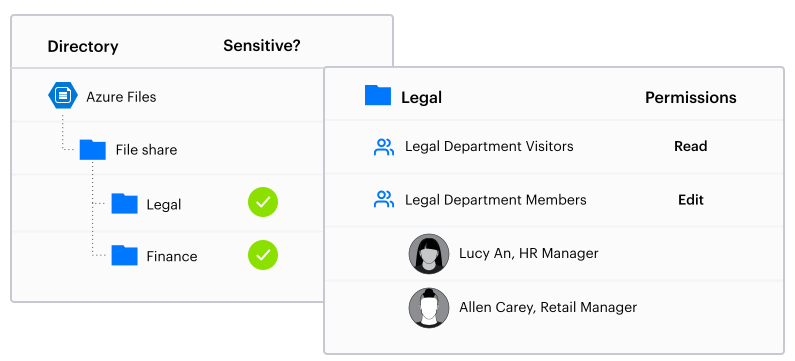
A Data Owner can be assigned the management of a domain global group (i.e., who is and is not in the group) and the permissions on a file system or share (including DFS) folder. This can be done via an interactive 'grant / deny' of new permissions, or via a regular, scheduled entitlement review approach.
Who can access the DataPrivilege interface?
All users with a valid domain logon can access DataPrivilege to generate new requests to available, managed resources. Data Owners receive additional permissions that relate to the management of sub-folders and groups under their control. DataPrivilege administrators can also access system configuration information via the interface.
Can Data Owner generate their own reports?
Yes – DataPrivilege allows a Data Owner to report on workflow processes such as who made an access request, who authorized access, and what changes to permissions were implemented.
Do I need to configure DataPrivilege separately from DatAdvantage?
DataPrivilege can be configured in a standalone environment, however for ease of administration, Data Owner information is automatically synchronized with DatAdvantage where both products are installed.
Varonis DataPrivilege
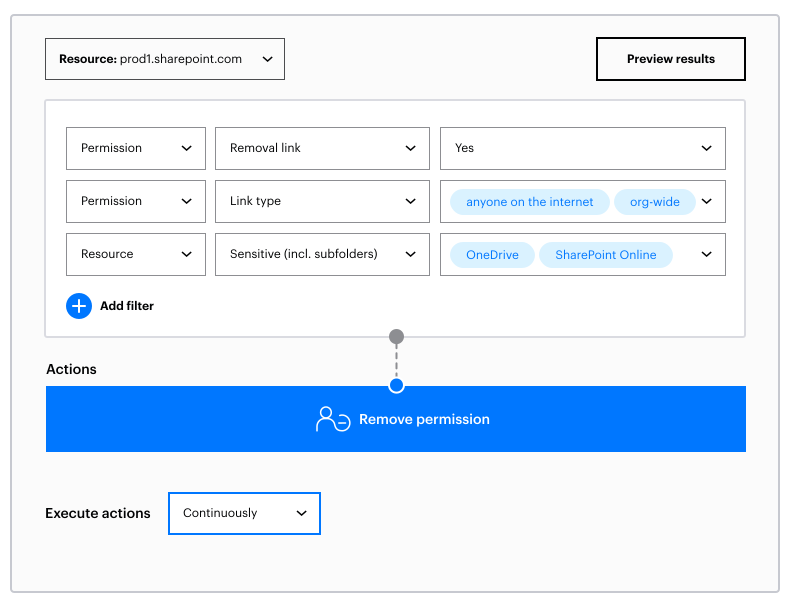
DataPrivilege automates data governance by providing a framework for users and data owners to be directly involved in the access review and authorization workflows. A web interface for data owners, business users, and IT administrators automates data access requests, owner and IT authorization of changes, automated entitlement reviews, and business data policy automation (e.g. ethical walls). A complete audit trail ensures that data governance policies are in place and being adhered to.
- Automated Entitlement Reviews
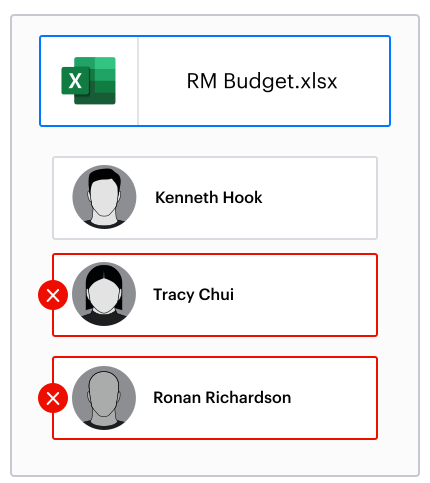
- Data owners are provided scheduled entitlement reviews with recommendations for access removal (generated by DatAdvantage)
- Reviews can be scheduled based on business policy
- Access Control Workflow
- Users can request access to data and group resources directly, providing explanation and duration
- Data owners and other stakeholders are automatically involved in authorization process
- Permissions changes are carried out automatically once approval requirements are met
- Permissions revocations are carried out automatically on their assigned expiration
- Business Policy Implementation
- Multiple levels of authorization provide automated implementation of business and IT data governance policy
- Ethical wall functionality enforces data access policies
- Complete Self-Service Portal
- Data Owners can view and manage permissions on their data and groups without requiring elevated access privileges, if desired
- Data Owners can view access activity and statistics about their data, if desired
- Complete Audit Trail and Reporting
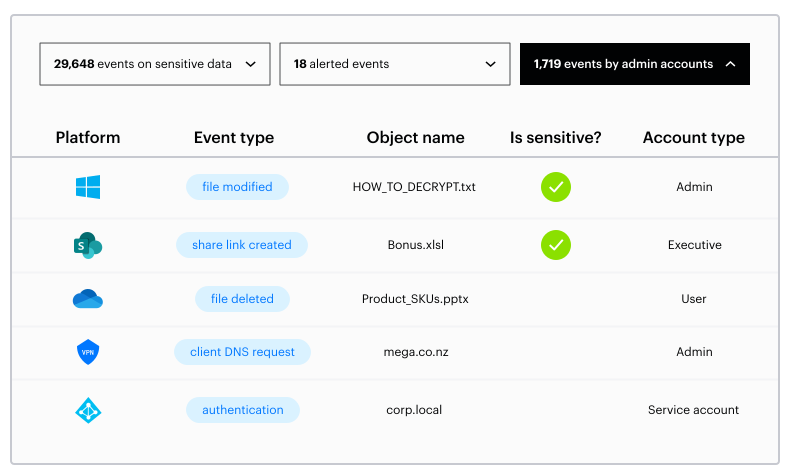
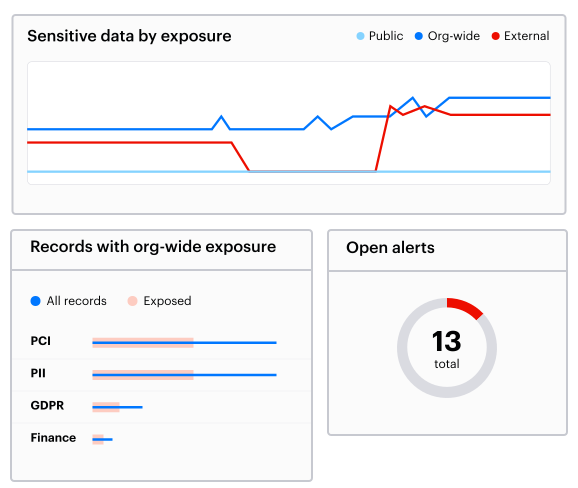
- All workflow events are recorded for audit and reporting which can prove the enforcement of governance practices
- Authorizations, Entitlement reviews, and other management reports provide evidence of process adherence
- How can I automate access entitlement reviews?
- How can I automate my authorization processes?
- How can I enforce ethical walls?
Assuming a data owner can be located, most manual access review processes involve creating a permissions report that includes every user with access to a folder and presenting that long list to the data owner. It is up to the data owner to go through all the names, circle any they think should be removed, and get that back to IT to implement the changes manually.
Manual access authorization processes often start when a user calls the help desk requesting access to a folder. Then it is up to the help desk to identify who is responsible for that folder and contact them via phone or email. If the data owner approves access, IT manually adds the user into a group or to the folder's ACL, and the user then has access indefinitely.
If two groups should never have access to the same data, manual efforts to enforce separation of duties range from periodic entitlement reviews to warning notes left in the folder or group description fields.
Our 30-Day Free Trial provides a full audit of your file system or your SharePoint environment. Audit permissions, auditing access, usage statistics, recommendations, impact analysis, and identification of business owners.
Within hours of installation
You can instantly conduct a permissions audit: File and folder access permissions and how those map to specific users and groups. You can even generate reports.
Within a day of installation
Varonis DatAdvantage will begin to show you which users are accessing the data, and how
Within 3 weeks of installation
Varonis DatAdvantage will actually make highly reliable recommendations about how to limit access to files and folders to just those users who need it for their jobs.
Get the Varonis View. Sign-up for the 30-Day Free Trial.