Data Security Posture Management (DSPM)
Discover, map, monitor, and protect data wherever it lives. Varonis' #1-rated DSPM is the only solution that automatically remediates risk, enforces policies, and detects threats in real-time.
- Cloud-native
- Automated
- Broad coverage





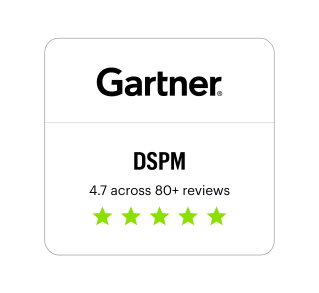
Varonis Named a Customers' Choice in Gartner® Peer Insights™ Voice of the Customer DSPM Report
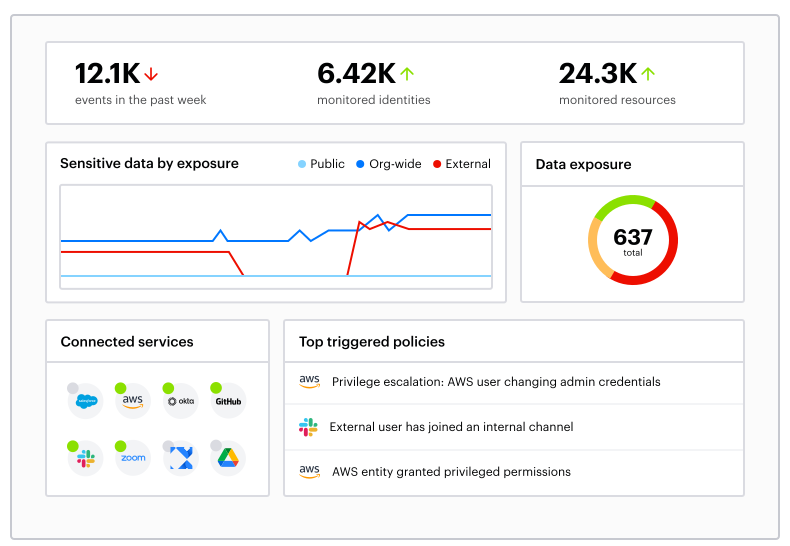
You found sensitive data, now what?

Comprehensive coverage
- File storage
- SaaS apps & email
- IaaS & databases

Automated remediation
- Remove excessive permissions
- Fix risky misconfigurations
- Apply labels and enforce DLP policies

Award-winning threat detection
- Alert on abnormal behavior
- Automate threat response
- Get 24x7x365 MDDR coverage
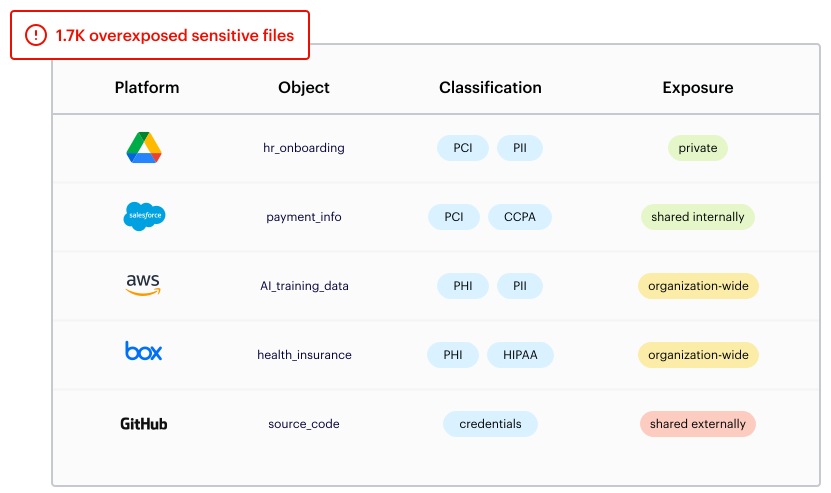
Data discovery and classification
Battle-tested in complex multi-petabyte environments for militaries and Fortune 100 companies, Varonis gives you complete, current, and contextual data classification. Integrate with Microsoft Purview to apply labels and enforce DLP.
Access intelligence
Know who has access to your sensitive data at all times. The Varonis access graph factors in entitlements, group memberships, sharing links, muting permissions, and more, giving you the most accurate view of data risk on the planet.
%20-%20w410px-1.svg)
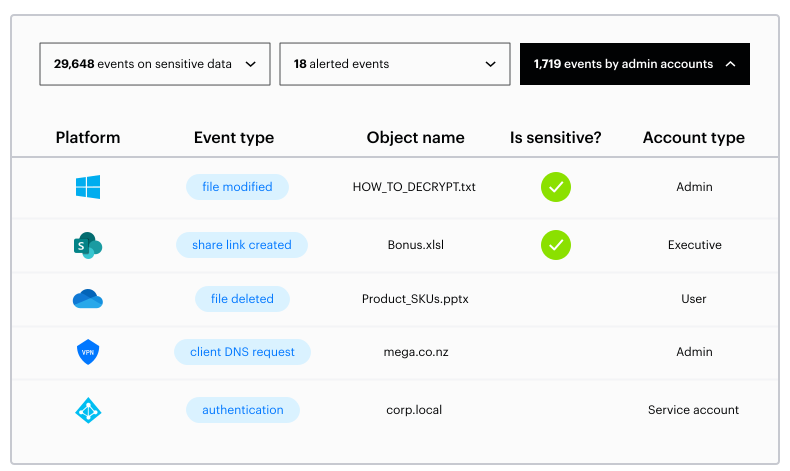
Data detection and response (DDR)
Get a searchable forensic audit trail of data access activity, permissions changes, link sharing, email send/receive, authentication events, and much more. Varonis builds a behavior baseline for every user and responds to threats.
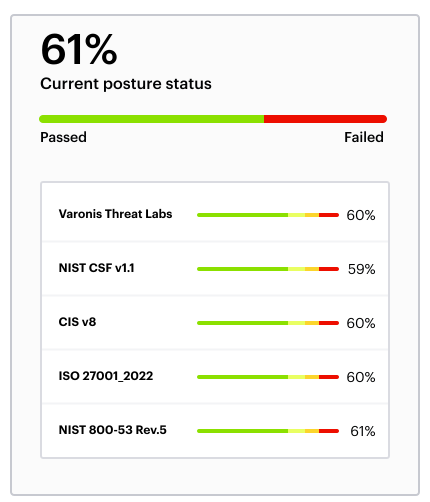
Compliance management
Measure your data security posture against common frameworks and regulations such as HIPAA, GDPR, CCPA, NIST, and ITAR. Ensure compliance with accurate out-of-the-box classifiers, policies, activity auditing, and reports.
Our customers have spoken
Check out some of our latest customer stories and learn how our Data Security Platform helps businesses continuously discover and classify critical data, remove exposures, and stop threats in real time with AI-powered automation.



One platform for multi-cloud, SaaS, and on-premises data.
Varonis protects enterprise data where it lives — in the largest and most important data stores and applications across the cloud and behind your firewall.